

Coming up with a great domain name used to mean hours of manual brainstorming, checking registrars one name at a time, and settling for whatever was left. AI domain name generators have changed that entirely. These tools use large language models and machine learning to generate creative, brandable domain names from a simple text description, and many check availability automatically.
But not all AI generators are created equal. Some produce generic, uninspired names. Others generate creative options but don't check if they're actually available. In this guide, we'll explain how AI domain generators work, compare the best options, and help you pick the right tool.
How AI Domain Name Generators Work
Modern AI domain generators are built on large language models (LLMs), the same technology behind tools like ChatGPT and Claude. When you describe your project, the AI analyzes your description to understand the concept, tone, and industry, then generates names using several techniques:
- Semantic understanding. The AI understands that a "meditation app" relates to concepts like calm, mindfulness, breathing, and zen, not just the literal words you typed.
- Word combination. It blends relevant words, prefixes, and suffixes in creative ways: compound words (MindFlow), portmanteaus (Zenify), and modified spellings (Kalm).
- Phonetic analysis. Good generators consider how names sound, favoring combinations that are easy to pronounce and remember.
- Brand pattern matching. AI can learn from successful brand names and apply similar naming patterns to your industry.
The best generators then add a real-time availability check using WHOIS/RDAP lookups, so you only see names you can actually register. This eliminates the most frustrating part of domain hunting: falling in love with a name only to find it's taken.
The Best AI Domain Name Generators Compared
domhaul: AI Generation + Real-Time Availability
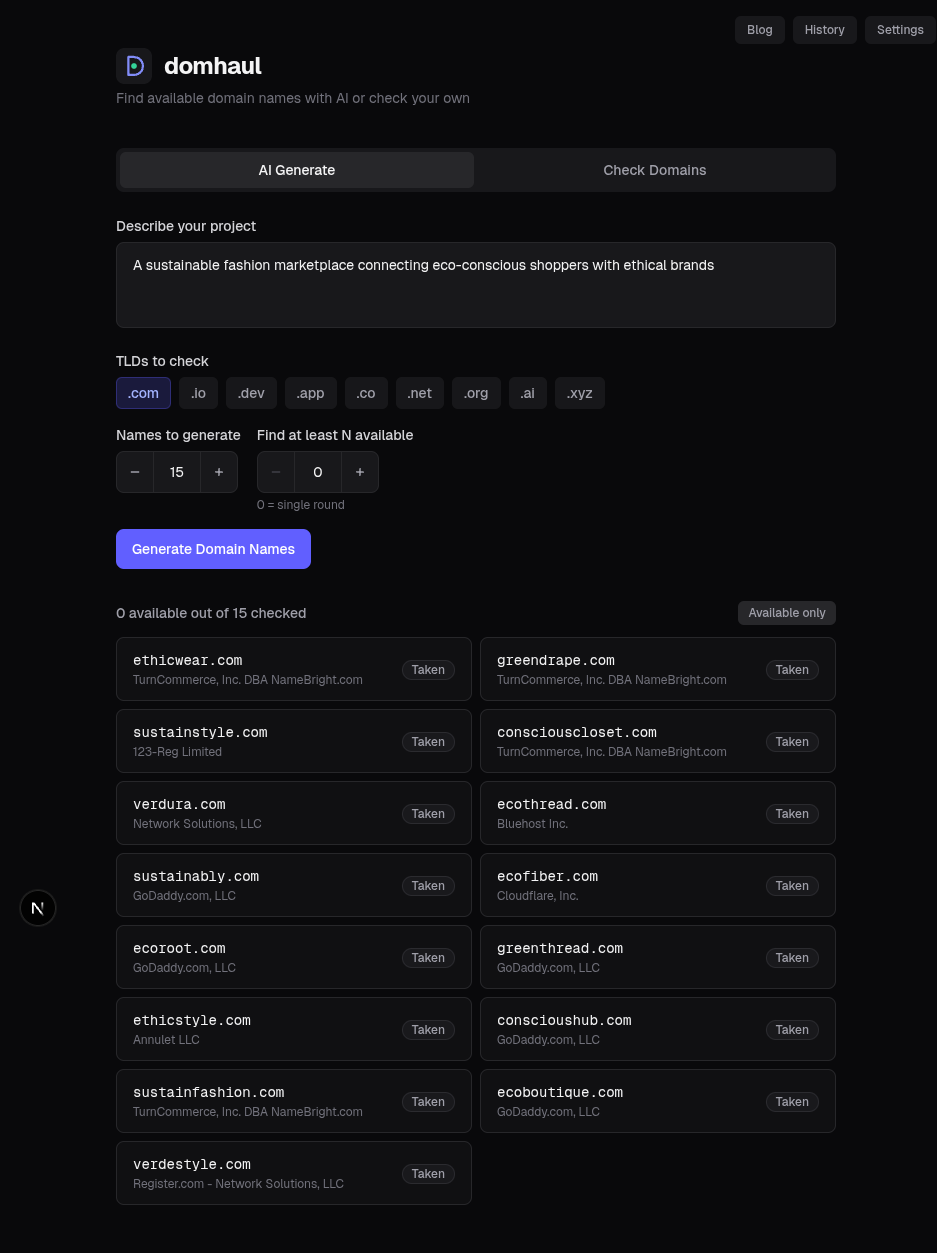
domhaul combines AI-powered name generation with instant availability checking across multiple TLDs. You describe your project in plain language, choose which TLDs to check (.com, .io, .app, .dev, etc.), and get a list of creative names with real-time availability status.
- Approach: AI generates names from your project description, then checks availability via RDAP/WHOIS in real time
- TLD support: .com, .io, .dev, .app, .co, .net, .org, .ai, .xyz
- Unique features: Multi-round generation (keeps generating until N available names are found), bulk domain checking mode, search history
- Price: Free
Lean Domain Search: Word Combination Engine
Lean Domain Search (created by Automattic, the company behind WordPress.com) pairs your keyword with other words to generate available .com domains. It's fast and simple, but doesn't use AI: it relies on a dictionary of word combinations.
- Approach: Keyword-based word pairing (not AI)
- TLD support: .com only
- Strengths: Very fast, only shows available names
- Limitations: Generic combinations, .com only, no natural language input
Namelix: AI Brand Name Generator
Namelix uses AI to generate short, brandable business names with optional logo mockups. It's more focused on brand name generation than domain-specific searches, but it's a useful brainstorming tool.
- Approach: AI-generated brand names with style preferences
- Strengths: Creative names, logo mockups, name style filters
- Limitations: Doesn't check domain availability directly, requires you to verify separately
Namecheap Beast Mode: Bulk Combination Generator
Namecheap's Beast Mode lets you enter multiple keywords and generates all possible combinations, checking availability across multiple TLDs. It's not AI-powered but useful for systematic exploration.
- Approach: Combinatorial keyword matching
- Strengths: Bulk checking, multiple TLDs, integrated with Namecheap registration
- Limitations: Not AI-driven, results are mechanical combinations
ChatGPT / Claude: General-Purpose AI
You can use general-purpose AI assistants like ChatGPT or Claude to brainstorm domain names. They're excellent at creative ideation but have a critical limitation: they can't check if domains are actually available. You'll need to verify availability separately.
- Approach: General-purpose language model conversation
- Strengths: Highly creative, understands nuance, can iterate on ideas
- Limitations: No availability checking, may suggest taken names, requires manual verification
What to Look for in a Domain Name Generator
Not all generators are worth your time. Here's what separates good tools from bad ones:
- Real-time availability checking. Generating names is only half the job. If the tool doesn't check availability, you'll waste time on names you can't register.
- Natural language input. You should be able to describe your project in a sentence, not just enter a single keyword.
- Multi-TLD support. Good generators check across .com, .io, .app, .dev, and other relevant TLDs simultaneously.
- Creative, brandable output. The names should feel like real brands, not random word salads.
- Speed. Results should appear in seconds, not minutes. Slow tools kill your creative flow.
Tips for Getting Better Results from AI Generators
- Be descriptive, not prescriptive. Instead of "fitness app," try "a fitness app that creates personalized workout plans using AI." More context = better suggestions.
- Mention your brand personality. Include words like "playful," "premium," "minimal," or "technical" to guide the AI's tone.
- Try multiple TLDs. A name that's taken on .com might be available on .app or .dev. Check all relevant options.
- Generate in batches. Don't stop at the first batch. Run multiple generations with slightly different descriptions to explore more of the naming space.
- Use AI names as inspiration. Even if you don't use an AI-generated name directly, it can spark ideas you wouldn't have thought of otherwise.
Frequently Asked Questions
Are AI-generated domain names any good?
Yes. Modern AI generators produce names that are often more creative and brandable than manual brainstorming alone. The key is using a tool that understands natural language context (not just keyword matching) and checks real-time availability so you don't waste time on taken names.
Can I trademark an AI-generated domain name?
Yes. AI-generated names can be trademarked just like any other name, provided they meet standard trademark requirements (distinctive, not confusingly similar to existing marks, etc.). The fact that an AI suggested the name doesn't affect your ability to trademark it. Always search the USPTO database before committing.
What's the difference between an AI domain generator and a traditional one?
Traditional generators use keyword matching and dictionary lookups: they combine your input word with prefixes, suffixes, and other words mechanically. AI generators understand the meaning and context of your description, producing more creative, natural-sounding names. For example, describing a 'meditation app' to an AI might yield names like 'Stillnest' or 'Calmara', names a keyword combiner would never produce.
Is domhaul free to use?
Yes. domhaul is free to use for both AI domain name generation and bulk domain availability checking. There's no account required, no usage limits, and no hidden paywalls.