

If you're building your first website, two terms come up constantly, domain name and web hosting, and most explanations assume you already know the difference. You don't. That's fine. Here's the short version:
This guide breaks down exactly what each one does, why you need both, what they cost, and the order you should buy them in so you don't get locked into a setup you'll regret six months later.
Domain vs Hosting: Quick Answer
A domain name and web hosting are two separate things, usually bought from two different companies. The domain is your website's address, the name people type, like yourbrand.com. Hosting is the server that stores your website's files and serves them to visitors. You need both: a domain with no hosting points nowhere, and hosting with no domain has no address people can reach. A domain costs roughly $10–15 per year; basic hosting runs about $3–10 per month. Buy the domain first (good names sell out), then add hosting and connect the two with DNS, which takes anywhere from a few minutes to a few hours to start working.
The Street Address Analogy
Imagine your website is a physical shop. The domain name is the street address printed on your business card: 123 Main Street. It's how customers find you. The hosting is the actual building at that address, with the products on the shelves, the lights on, and someone behind the counter.
- Domain = the address people type or click, like yourbrand.com
- Hosting = the server (computer) storing your website files, running your apps, and serving pages when someone visits
- DNS = the directory that connects the address (yourbrand.com) to the building (your hosting server)
Without a domain, your website has no findable address, just a raw IP like 192.0.2.45 that no one will memorize. Without hosting, your domain points to nothing, like having a beautiful business card for a shop that doesn't exist.
What a Domain Name Actually Is
A domain name is a human-readable label managed by the global Domain Name System. You don't own domains the way you own a car. You register (lease) them for one to ten years at a time from a domain registrar like Namecheap, Cloudflare, or Porkbun.
Per ICANN, registrars are accredited by a central authority and pay annual fees to a registry for each TLD (.com, .io, .net). You pay the registrar, the registrar pays the registry, and your name resolves on the internet for as long as you keep renewing.
- Typical cost: $10-$15/year for .com, $30-$60/year for .io, $50-$100/year for .ai. See .com vs .io vs .app vs .dev for full pricing.
- What you get: exclusive rights to that name + DNS controls + WHOIS privacy (usually free).
- What you don't get: a website. The domain alone serves nothing, so you still need hosting.
What Web Hosting Actually Is
Web hosting is renting space on a server (a computer that's always on and connected to the internet) to store your website files (HTML, images, code, databases) and respond to visitors. When someone types yourbrand.com in their browser, DNS routes the request to your hosting server, which sends back the page.
Hosting comes in flavors, ranked roughly by price and complexity:
- Shared hosting: your site shares a server with hundreds of others. Cheapest option ($2-$10/month), fine for blogs and small sites.
- VPS hosting: your site gets a guaranteed slice of a server. More power, more flexibility ($10-$50/month).
- Dedicated hosting: entire server is yours. Expensive ($80-$300+/month), only needed for high-traffic sites.
- Managed WordPress hosting: server pre-tuned for WordPress, often includes backups and security ($15-$50/month).
- Cloud / Platform hosting: Vercel, Netlify, AWS, Cloudflare Pages. Scales automatically, often free for small projects, pay-per-use beyond.
Domain vs Hosting at a Glance
- What it is: Domain = address. Hosting = server space.
- What you pay for: Domain = annual lease. Hosting = monthly/annual rent.
- Typical price: Domain = $10-$60/year. Hosting = $2-$50/month.
- Required to have a website? Domain = strongly recommended. Hosting = yes.
- Locked to a provider? Domain = transferable any time. Hosting = transferable but more work (you have to move files + databases).
- Who provides it: Domain = registrars. Hosting = hosting providers (sometimes the same company).
Do You Need Both?
For 99% of real websites, yes. There are a few edge cases where you only have one:
Domain only, no hosting
- Domain parking: you bought a name but aren't ready to build. Most registrars show a placeholder page automatically.
- Domain forwarding: your domain redirects to another URL (e.g., your Linktree, Etsy shop, or social profile).
- Email-only: using the domain for branded email (you@yourbrand.com) via Google Workspace, Fastmail, or similar.
- Selling the domain: holding it as an asset to resell.
Hosting only, no domain
- Development / staging: testing on a default URL like your-project.vercel.app or yoursite.netlify.app.
- Internal tools: apps only accessed via IP or subdomain.
- Free hosting platforms: GitHub Pages, Netlify, Vercel all give you a default subdomain for free.
But if you're building a business, a brand, or anything you want people to remember and trust, you need both.
Which Should You Buy First: Domain or Hosting?
There's a second reason: deciding on hosting often depends on what tech stack you'll use, and that decision can wait until you actually start building. The domain has to be settled before you can brand anything, register social handles, or design a logo.
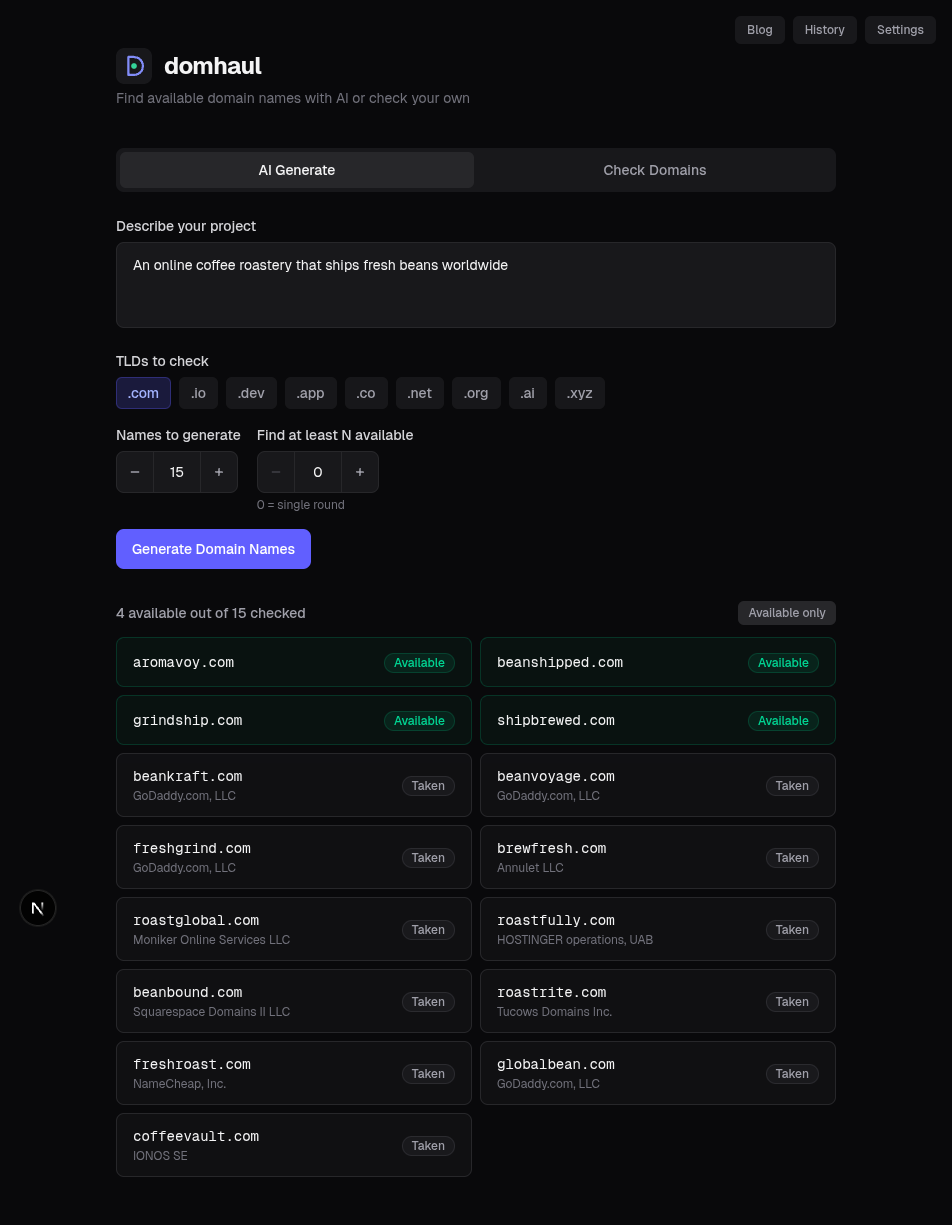
- Step 1: Pick and register your domain. Brainstorm names, check availability, secure the .com (and any TLDs you care about).
- Step 2: Choose your hosting based on what you're building (WordPress site, static site, Node app, etc.).
- Step 3: Connect them by updating your domain's DNS records (usually nameservers or an A/CNAME record) to point at your host.
Should You Buy Your Domain and Hosting From the Same Company?
Plenty of companies sell both: Namecheap, Bluehost, GoDaddy, SiteGround. The convenience is real: one login, one bill, no DNS configuration needed.
But here's the catch: if you bundle them and later want to switch hosts, some companies make it a headache to keep the domain. The cleanest pattern is to keep your domain at a dedicated registrar (Namecheap, Cloudflare, Porkbun) and host wherever makes sense for the stack you're building.
- Bundle (same company): easier setup, single login. Risk of vendor lock-in and bad hosting bundled with a domain you can't easily migrate.
- Separate (recommended): domain at a registrar, hosting wherever fits. Slightly more setup (one DNS change), much more flexibility long-term.
How to Connect Your Domain to Your Hosting
Once you have both, you tell the domain where to point, and that's it. Two common methods:
- Nameservers: change your domain's nameservers (at your registrar) to the ones your host gives you. Whole DNS zone now lives at the host. Easiest if you only have a website and email through that host.
- DNS records: keep your registrar's nameservers and add an A record (pointing your apex domain to your host's IP) or a CNAME (pointing www or a subdomain to your host's hostname). More flexible: you can have email at one provider and the site at another.
Changes can take anywhere from a few minutes to 48 hours to propagate, depending on TTLs. Plan accordingly if you're cutting over a live site.
Where to Get Each
Our pick for both, for cost, simplicity, and the option to keep them separate if you want, is Namecheap.
- Domain: register at Namecheap: competitive .com prices, free WHOIS privacy, no aggressive upsells. (Cloudflare and Porkbun are also excellent.)
- Hosting: Namecheap shared and managed hosting starts at a few dollars a month, comes with free SSL, and works out of the box for WordPress and most stacks. Cancel any time.
- Static / app hosting (alternative): Vercel, Netlify, and Cloudflare Pages all have generous free tiers for modern frameworks (Next.js, Astro, SvelteKit).
Common Beginner Mistakes
- Registering your domain at your hosting company: fine if you stay; painful if you ever need to switch hosts and they drag their feet on the domain.
- Not enabling auto-renew: domains that expire can be snatched. Always set auto-renew on a card you keep current.
- Buying multi-year hosting upfront: "three years for $1.99/month!" usually renews at 10× the rate. Start with one year.
- Skipping WHOIS privacy: without it, your name, address, and email are public. Most registrars now include it free; some still charge.
- Picking a hosting plan you don't need: most new sites do not need a VPS. Shared or platform hosting is fine until you actually have traffic.
Frequently Asked Questions
Do I need both a domain and hosting?
For any real website you want people to visit and remember, yes: you need both, and they do different jobs. The domain is the address people type or click (yourbrand.com); the hosting is the server that stores your site's files and serves the pages when someone visits. Skip the hosting and your domain points nowhere, and visitors hit an error or a blank parking page. Skip the domain and your site only lives at an ugly IP address or a subdomain you don't control. The common exceptions are domain forwarding (you own a name but redirect it to a Linktree, Etsy shop, or another site) and email-only setups, where the domain runs your branded inbox but no website. For everything else (a blog, store, portfolio, or app), plan on buying both.
Which should I buy first, domain or hosting?
Buy the domain first. Good names are scarce, and the one you want can be registered by someone else (or flagged as premium and repriced) while you're still deciding on hosting. Registration is instant and cheap (about $10–15 for a .com), so there's no downside to locking it in early. Hosting can wait until you've chosen your tech stack and you're actually ready to build, because the right host depends on what you're making: a WordPress blog, a static site, and a Node app all point to different providers. There's no penalty for owning a domain for weeks or months before launch. Plenty of people park a name for a year while they plan. The only rule: set auto-renew so you don't lose it in the meantime.
Can I have a domain without hosting?
Yes. A domain is just an address, and it doesn't have to point at a website at all. You have three common options without hosting. First, park it: most registrars automatically show a placeholder page, which is fine while you plan. Second, forward it: redirect yourbrand.com to another URL like a Linktree, an Etsy shop, or a social profile, which is useful before your real site exists. Third, use it for email only: connect the domain to Google Workspace, Fastmail, or Zoho and send from name@yourbrand.com without building a site. All three work because the domain's job is to map a name to wherever you point it via DNS. You only need hosting when you want to serve actual web pages from that address.
How much does a domain and hosting cost together?
A .com domain runs about $10–15 per year. Basic shared hosting starts around $2–5 per month when you prepay annually, so roughly $25–60 per year. That puts a typical small site at about $35–75 per year all-in. Watch two traps: premium TLDs (.io, .ai) and managed hosting cost more, and introductory hosting rates ("$1.99/month for three years!") usually renew at 3–10× the rate, so check the renewal price, not the teaser. You can also go cheaper: static and app hosting from Vercel, Netlify, and Cloudflare Pages have generous free tiers, so a modern framework site can cost just the domain. Email, SSL, and WHOIS privacy are often free now, so don't pay extra for bundles that include them.
Should I buy domain and hosting from the same company?
It's convenient but not recommended for the long term. The cleaner setup is to keep your domain at a dedicated registrar (Namecheap, Cloudflare, or Porkbun) and put your hosting wherever fits your stack. The reason is control: switching hosts is common (you outgrow a plan, prices jump, support disappoints), and when your domain lives at the same company you're leaving, transfers can get slow or obstructed right when you're trying to move. With the domain held separately, you just re-point DNS at the new host in minutes and nothing about your address changes. If you do register both in one place to start, that's fine, and just know you can transfer the domain out later, usually after the 60-day post-registration lock.
How long does it take for a domain to start working after I buy it?
Two different clocks. The domain itself usually resolves within a few minutes of registration, and sometimes you'll see a parking page almost immediately. Connecting it to your hosting takes longer, because DNS changes have to propagate: typically 15 minutes to a few hours, and occasionally up to 48 hours depending on your records' TTL (time-to-live) and your registrar. New registrations also have an extra step: ICANN requires you to verify your email within 15 days or the domain is suspended, so click that confirmation right away. If you're cutting a live site over to new hosting, lower your DNS TTL a day ahead and schedule the switch during a low-traffic window so the brief propagation gap affects as few visitors as possible.
The simplest mental model: domain = address, hosting = land. You need both, you should keep them separable, and you should always start with the name. Once that's locked down, everything else is just plumbing.